Rust Company - Tags & Territory
Company Handbook
Last updated: April 7, 2026
What This Gamemode Is
Rust Company is a new gamemode for Rust, but the weekly wipe has structure. Instead of free-for-all survival where everyone is fighting everyone, here the map is split into two large sides: Red and Blue. That means big groups of players fighting each other across the whole map, with a much bigger focus on territory control.
A wipe here is called a Campaign. The Campaign follows a weekly Monday-to-Sunday cycle, starting on Monday at 14:00 UTC and ending on Sunday at 22:00 UTC. When it finishes, the server does not just reset and move on. A winner is declared based on which Company performed better during the week.
Rust Company is a solo project by me (Baido). Patreon support keeps the project moving: more support means better chances for more servers in different regions like NA, more updates, and more future content. For questions or project contact, email me at [email protected].
Even though it is a modded server, this is not a typical 2x, 3x, or no-offline-raiding server.
There are no free kits, no boosted starter loadouts, and no extra resources on the map. You still farm, build, craft, fight, move loot, and survive like normal Rust. The difference is that now you do it as part of a larger Company that fights another Company and grabs territory with bases.
Basics
Important difference:
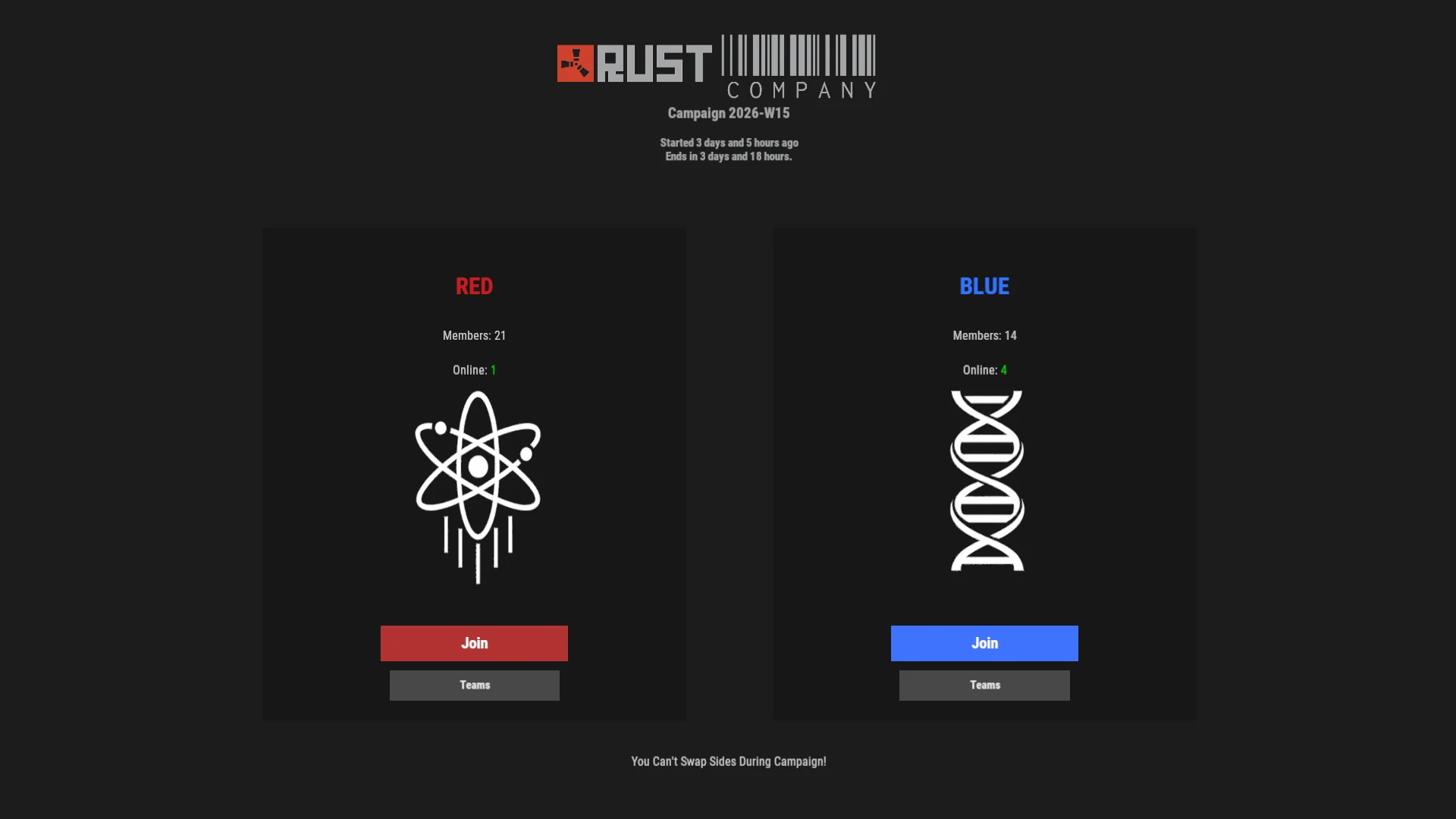
- Company = the large faction you choose for the whole Campaign.
- Team/Squad = Rust's normal Team system, still used for your smaller group.
The normal Rust Team/Squad system still exists, but it sits under the larger Company system and now belongs to either Red or Blue Company.
When you join:
- You pick Red or Blue the first time you join the server.
- You can't change Company mid Campaign.
- That choice puts you into a large Company for the rest of the Campaign.
- Instead of a random beach spawn, you will spawn at your Company outpost.
- Your Company is your side for chat, territory, score, and map objectives.
- Global chat works Company-wide. The opposite Company cannot see in-game chat from your Company.
- After spawning, the best way to get into action is to communicate with your Company members.
- Communication is key to success in this gamemode.
How chat, Team/Squads, and the map work:
- Company chat is separated, so your normal
[Global]messages go to your own Company. - Rust Team/Squads still exist and keep their own smaller chat channel.
- You cannot invite opposite-Company members into your Team/Squad.
- On the map, you can see the frontline where enemy Company territory meets your Company territory.
- You cannot see opposite Company vending machines, and you are also blocked from using them locally.
- When aiming at a friendly Company member, their name and avatar appear above your crosshair.
- Enemy Company players do not show the same crosshair name, so friendly players should be easier to identify.
- At close range, friendly and opposite Company members can have name tags above their heads colored by the Company they represent.
Company-aware defenses:
- Auto turrets and SAM sites automatically treat your Company members as friendly, and they won't shoot them, even without authorizing anyone.
- Other traps stay normal Rust behavior. Shotgun traps can still shoot Company members if they do not have TC authorization.
How score works:
- The Campaign winner is decided by Victory Points.
- Your Company earns Victory Points by fighting, holding territory, and turning in dogtags.
- Territory control gives the most Victory Points.
- All building privilege area produced from a Tool Cupboard counts as Company territory.
- Company territory is highlighted on the in-game map.
- Each opposite Company member kill gives Victory Points.
- Dogtags also matter and help both score and economy.
- The scoreboard tracks how your side is doing through the Campaign.
- At the end of the wipe, one Company is declared the Campaign winner.
What you should do as a new player:
- Pick a Company.
- Spawn in.
- Ask where help is needed.
- Join a Team/Squad or follow your own path.
- Build, fight, hold ground, and bring value back to your Company.
Company Chat
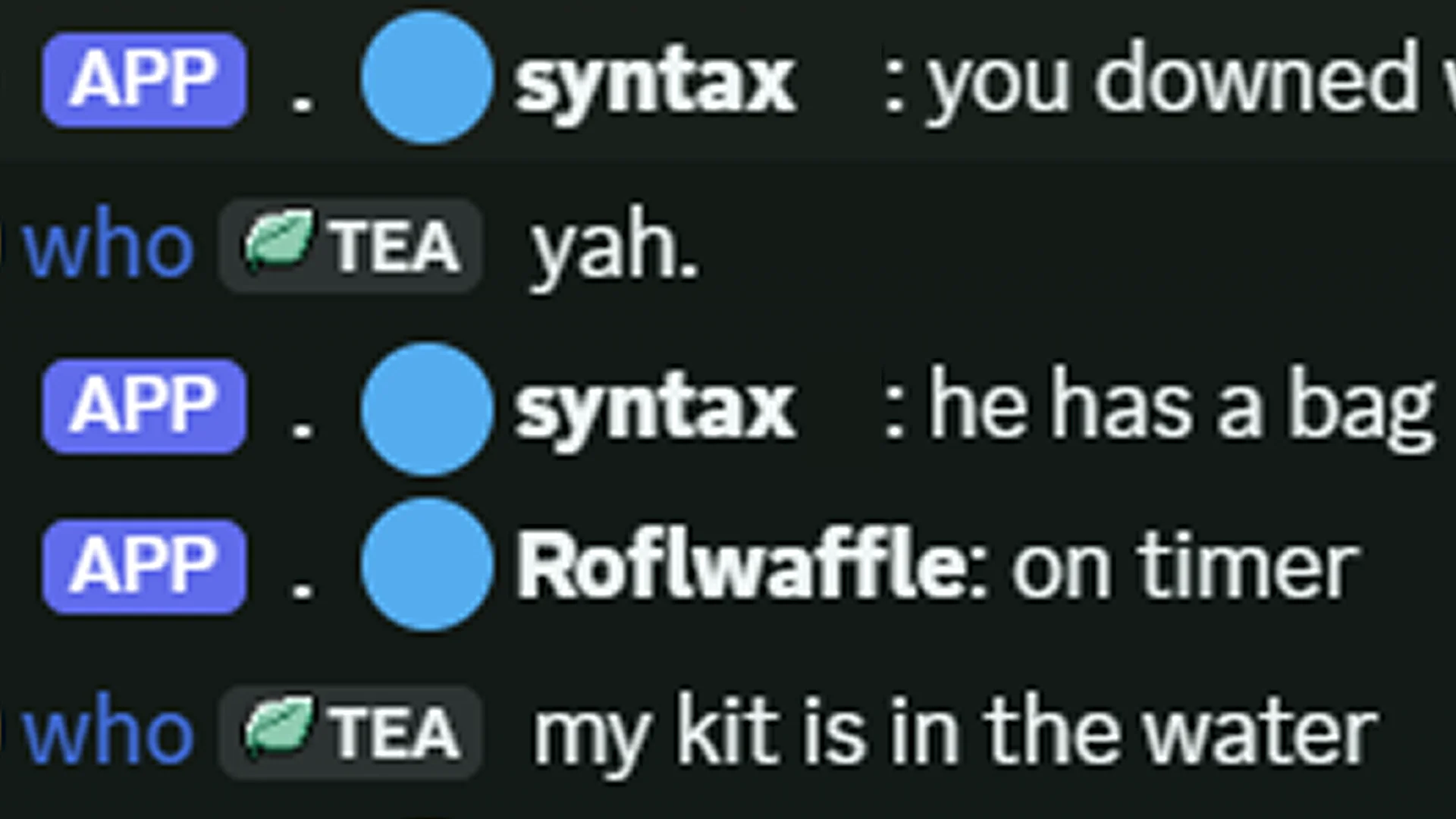
Chat is split by Company so plans do not leak across the whole server. For normal players,
[Global] chat is routed to your Company only.
[Global]chat goes to your own Company, not the enemy Company.- Rust Team/Squad chat still exists as the smaller group chat for your Team/Squad.
- If you connect your Steam account to Discord from the Linking page, you get access to your Discord Company chat channel.
- The Discord Company chat shows in-game Company chat, and Discord messages can be sent back into the game for players to see.
Useful in-game Chat commands:
/help- shows available in-game chat commands./stats- shows your personal stats./scoreor/scoreboard- opens the scoreboard./search <playername>- shows searched player stats in the scoreboard./map detailed,/map lite, or/map off- changes Company territory visuals./map lite- default map mode; it does its job without the same performance cost as detailed outlines./map detailed- clearer exact territory lines./map offhides Company territory if you do not want it on the map./teamname <name>- changes your Team/Squad name./patreons- shows all Patreons and instructions for becoming one.- Make sure to link your Steam account to Patreon from the Linking page so you get Patreon benefits in game.
/earlyadopter- gives Early Adopter status to the first 100 players who claim it, with its own benefits.
[Global], you are talking to your Company. It also broadcasts to the
Discord channel and receives messages from it. Link your accounts on the
Linking page to get access to this Discord channel.
Territory
Territory is the main objective of the gamemode. If your Company wants to win the Campaign, it needs to build forward, hold ground, and deny the enemy Company the same space.
Territory comes from Tool Cupboards, or TCs. A TC belongs to the Company of the player who becomes its first authorized owner, and the buildable area from that base counts as territory for that Company.
- All buildable area granted by a TC counts as Company territory.
- Unbuildable monument space does not count as territory.
- If friendly TCs touch or overlap, that area merges together and only counts once.
- Territory is about score and map control. It does not give automatic build rights on friendly bases.
- Vanilla TC authorization still matters. You can only build where that specific TC allows you to build.
- Ocean and underwater base placement is limited, so territory stays focused on playable land fights.
- The map shows colored territory outlines, so you can see where your Company is holding ground.
In simple terms, the more real bases your Company holds, the more territory it controls. That means raiding, defending, rebuilding, and placing forward TCs all matter to the Campaign, not just kills.
What this means for players:
- Build and keep TCs alive if you want to help your Company score.
- Destroying enemy TCs and bases can reduce their territory.
- Frontline bases matter more than hidden backline bases if you want to push the map forward.
- If you are roaming, think about how that fight helps your Company keep or take ground.
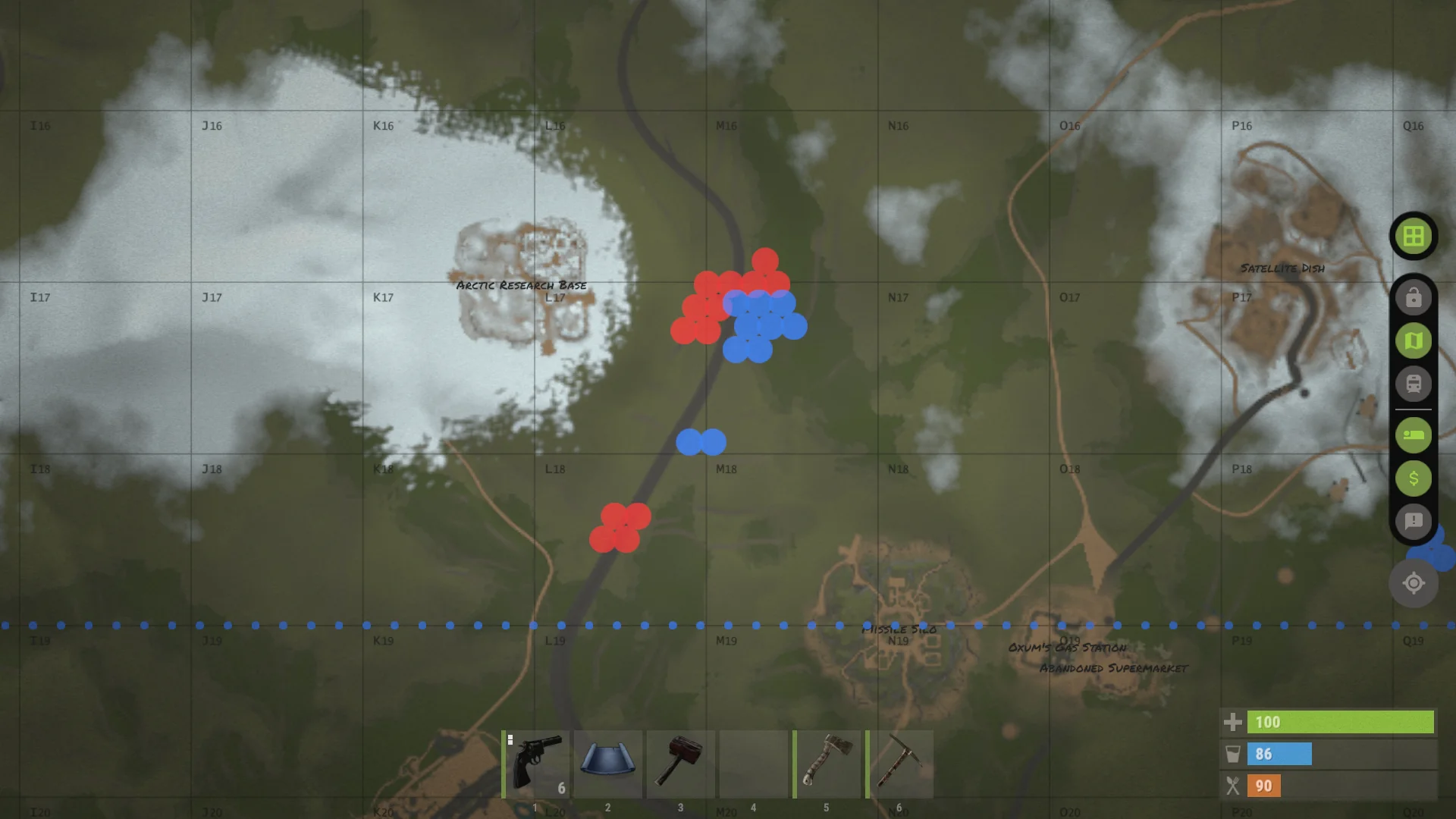
/map lite. It shows player-built bases on the map based on their Company membership.Dogtags
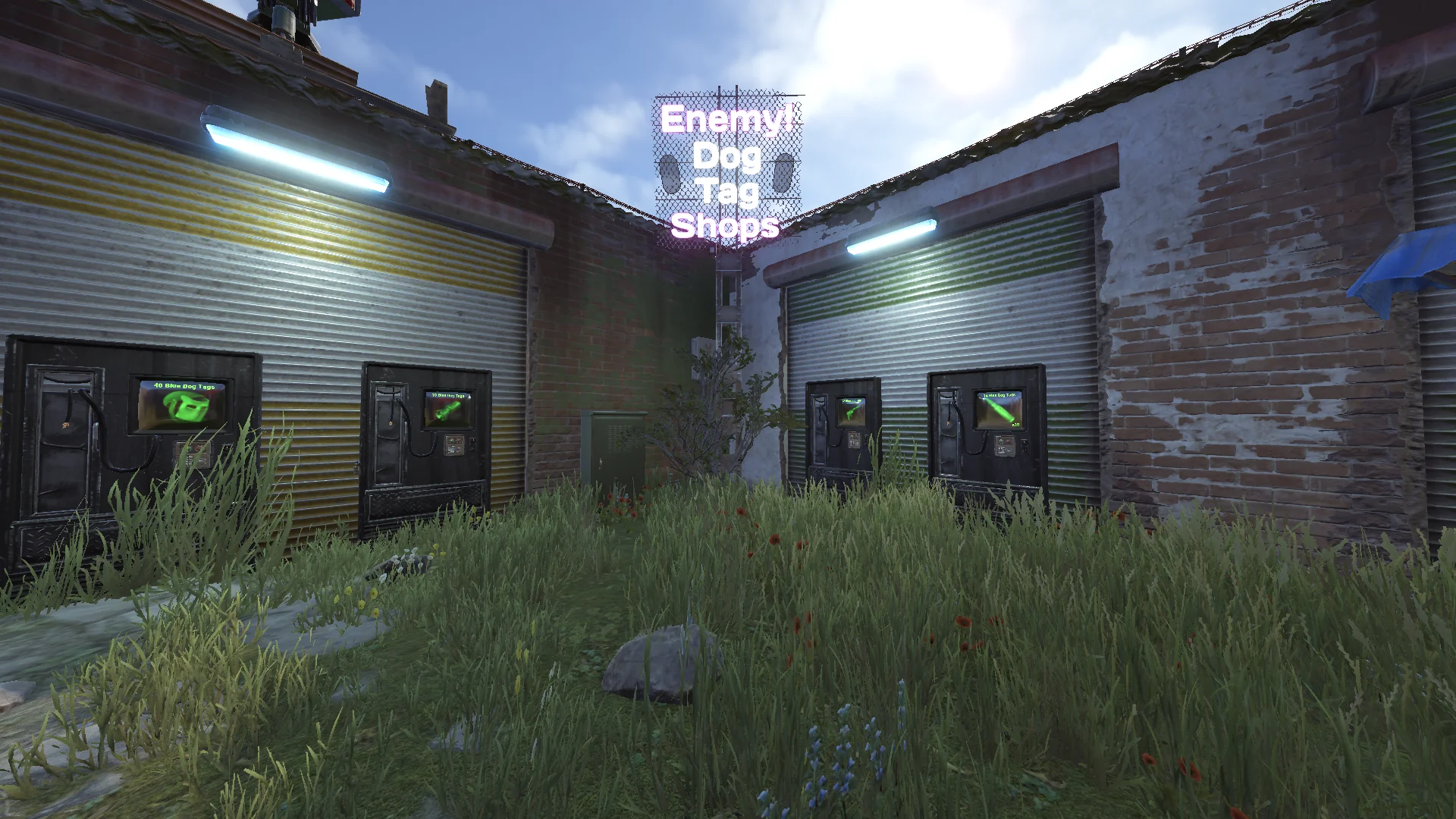
Dogtags are the second big way to push the Campaign. Territory is still the main objective, but dogtags make fighting matter more because enemy deaths can turn into score and useful economy.
- Company players drop their Company dogtags when they die.
- Your own Company dogtags are not valuable for your Company.
- Enemy dogtags are valuable and can be deposited at your Company outpost for Victory Points.
- Enemy dogtags can also be used for Company outpost vending machines and special purchases.
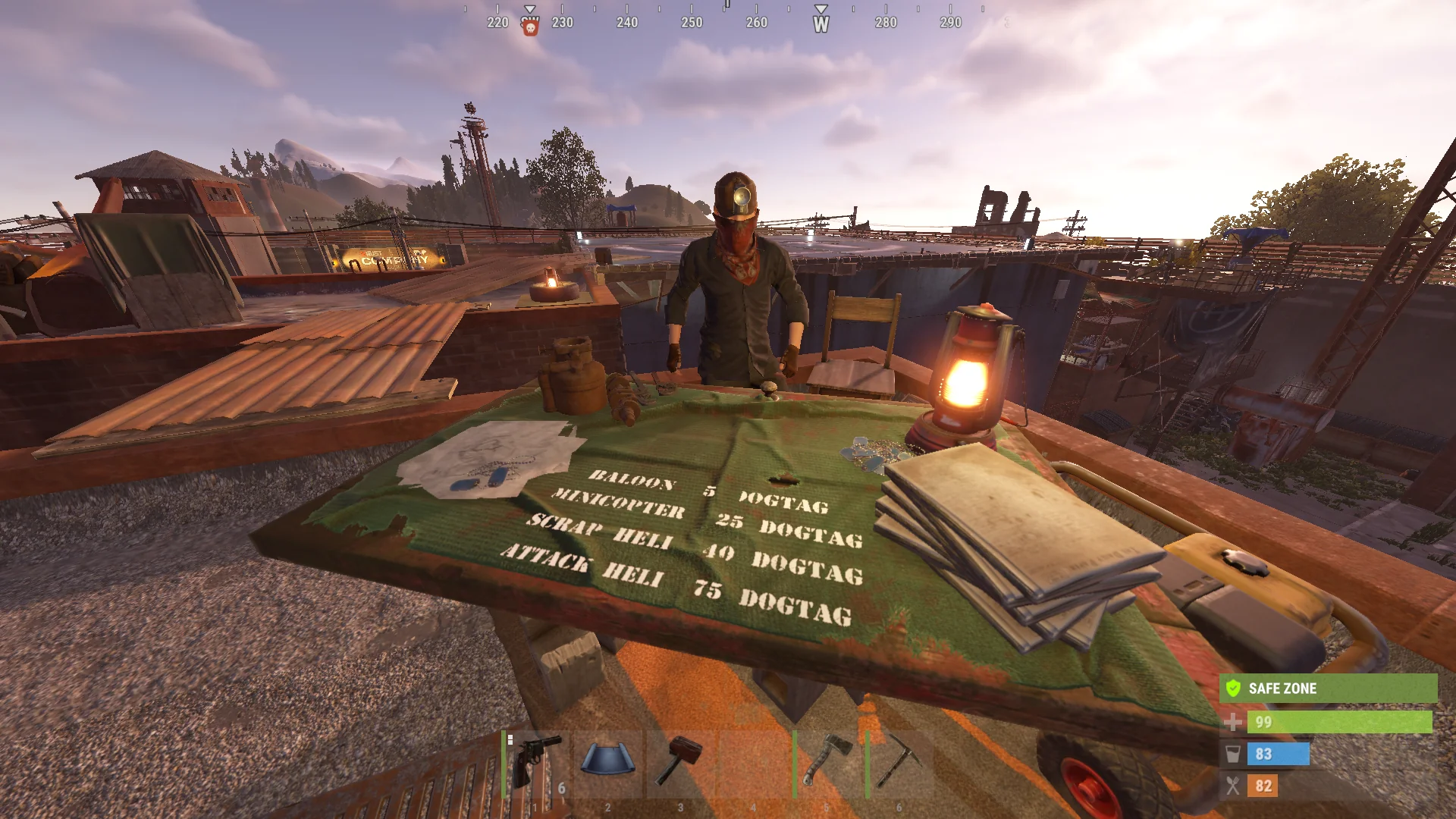
- Flying vehicles can only be bought with opposite Company dogtags.
- Scientists and hostile NPCs can drop neutral dogtags.
- Neutral dogtags need to be taken to Replicators, where they become opposite Company dogtags.
In simple terms, if you are Red, you want Blue dogtags. If you are Blue, you want Red dogtags.
The important habit is to bring useful dogtags back instead of treating them like junk loot. Opposite Company dogtags can help the scoreboard, buy outpost items, and pay for flying vehicles. Neutral dogtags are not ready yet, but Replicators turn them into the dogtags your Company can actually use.
CSO & Spawns
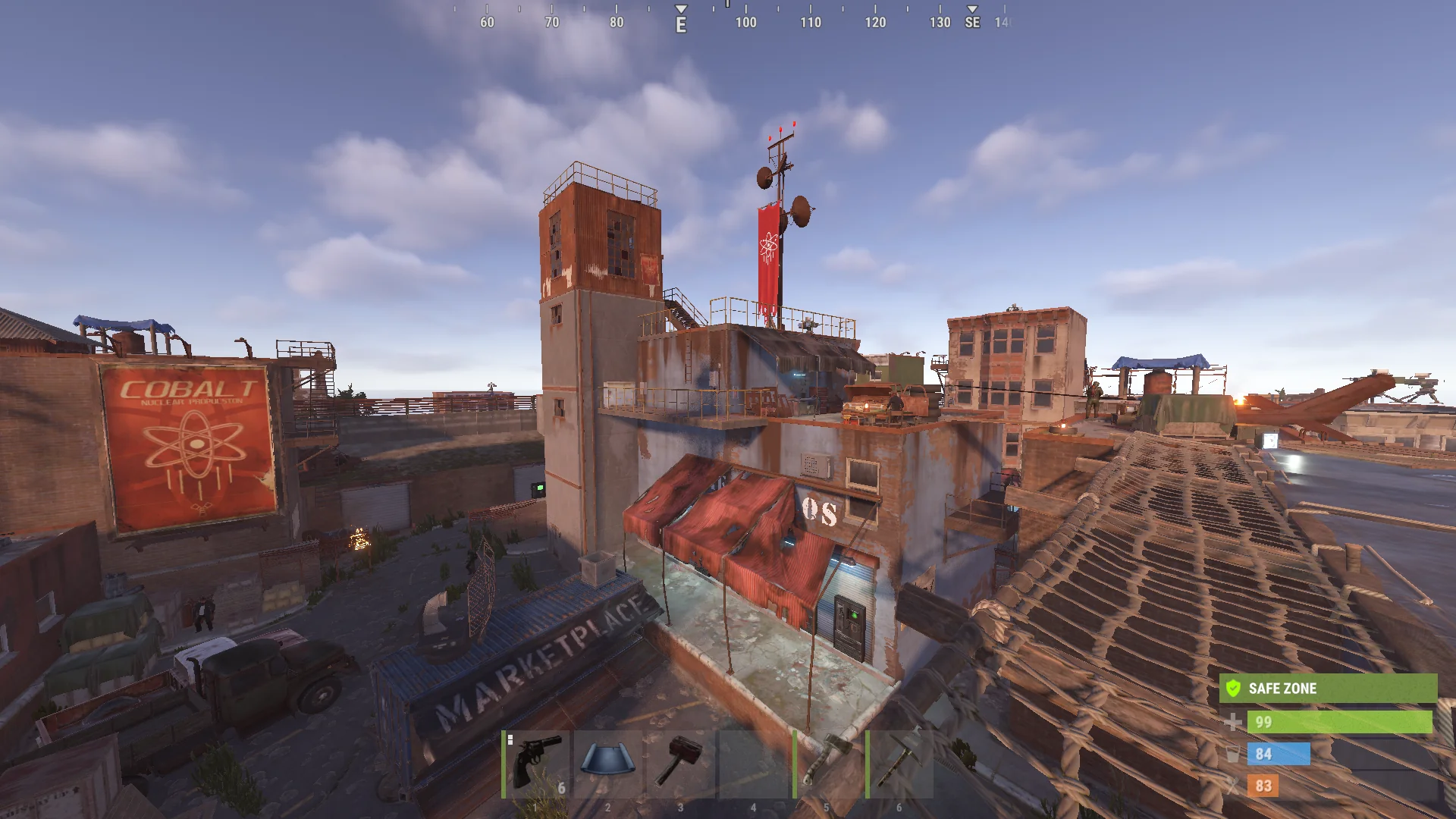
CSO means Company Spawn Outpost. Each Company has its own outpost-style safe area: one for Red and one for Blue. These are not normal shared Outposts.
- Your own Company outpost is friendly and works as a safe spawn area.
- The opposite Company outpost treats you as hostile.
- The respawn button sends you to your Company outpost instead of a random beach spawn.
- Bed and bag spawns still work like normal Rust.
- Dogtag turn-in is available at your Company outpost.
- CSO territory itself does not give Victory Points.
Think of your CSO as your side's home base for the Campaign. It gives new players a place to start, gives your Company a place to regroup, and gives dogtags somewhere useful to go.
Vending & Economy
The economy is still close to Rust, but Company systems decide which vending machines belong to which side. This keeps Company outposts and Company vending from turning into free enemy access.
- Enemy Company vending machines are hidden from your map.
- Enemy players are denied local access to your vending machines. If they walk up to one, they still cannot use it.
- Because enemy vending machines are hidden from their map, drone access is blocked too.
- Dogtag trading is intended for NPC and CSO vending machines, not normal player vending listings.
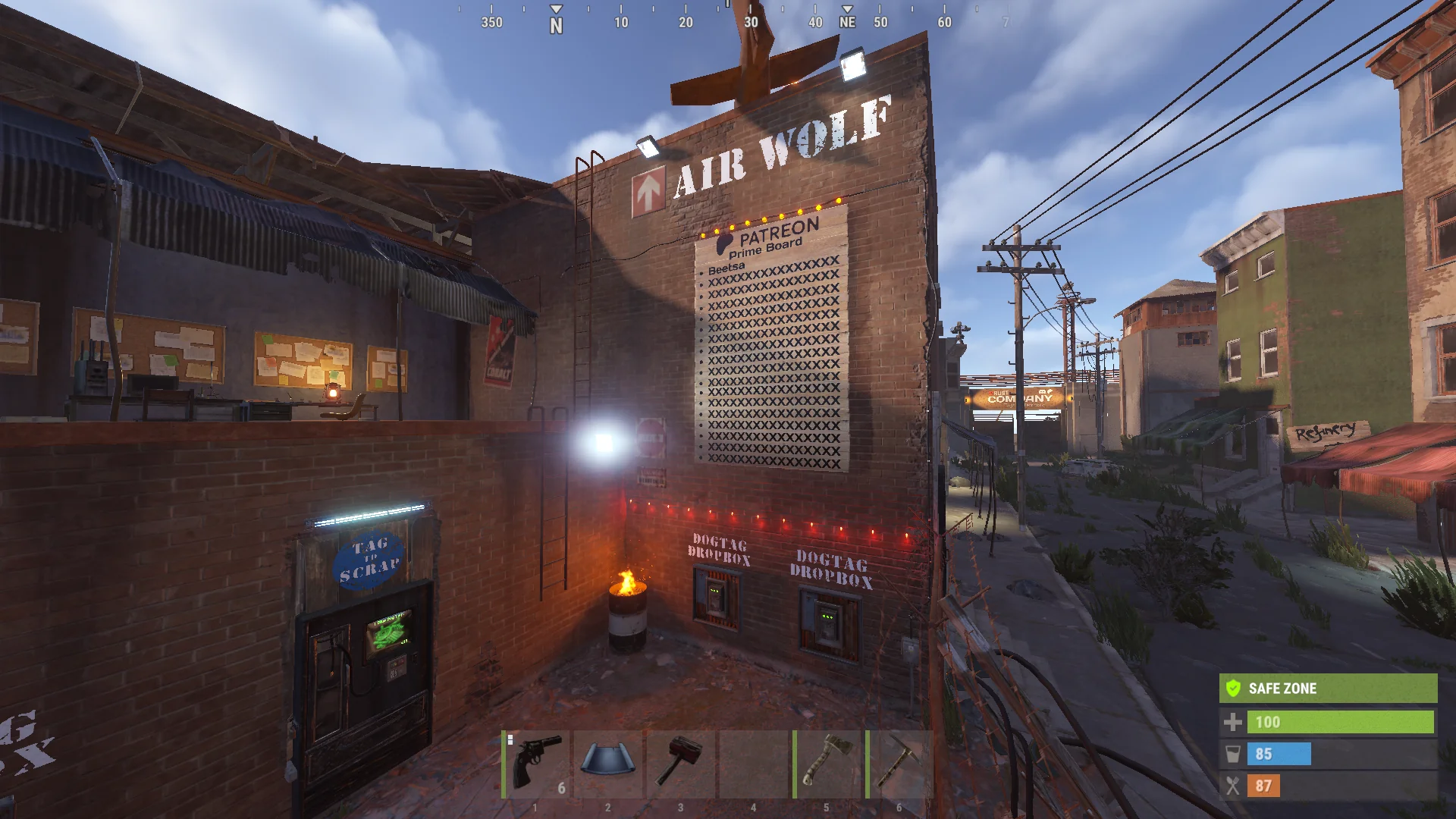
Airwolf is also part of the dogtag economy on this setup. Current vehicle costs are enemy dogtags: hot air balloon 5, minicopter 25, transport helicopter 40, and attack helicopter 75.
Scoreboard
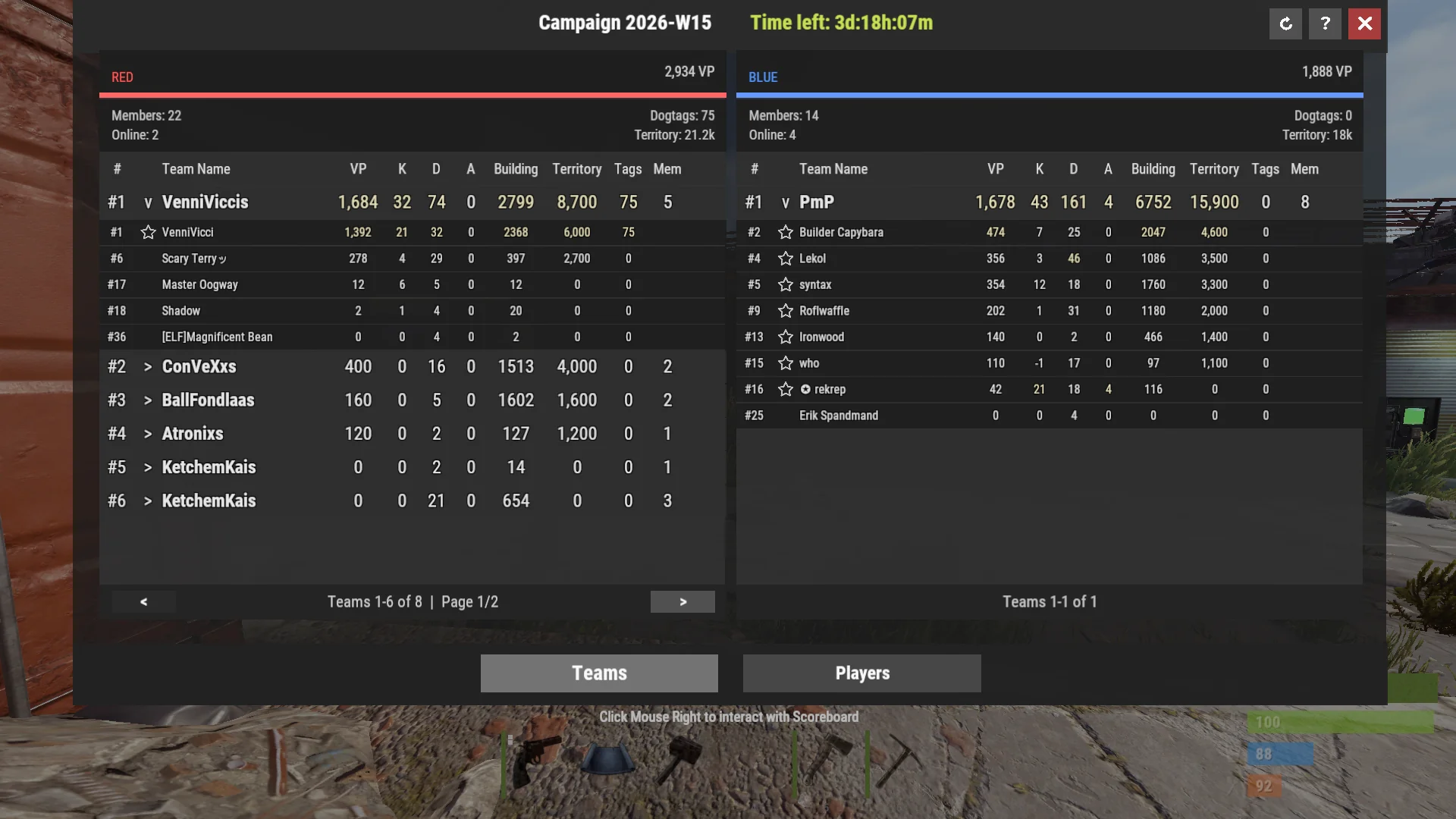
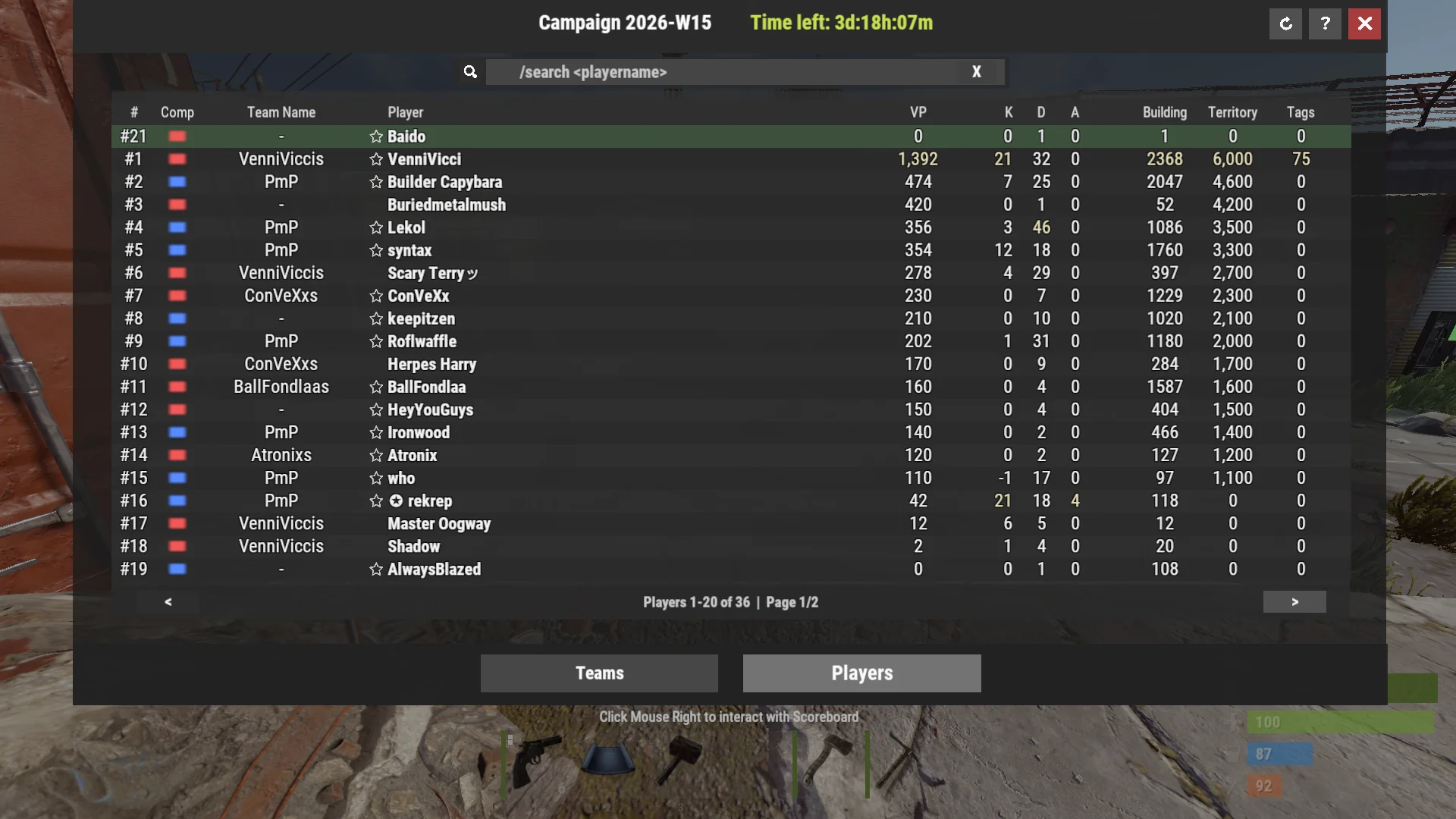
The scoreboard is where the Campaign turns into numbers. It shows how each Company is doing and also lets players check Team/Squad and player contribution.
- Use
/scoreor/scoreboardto open the scoreboard. - You can bind the scoreboard to a key with
bind <key> +cs;-cs. Replace<key>with the key you want, for examplebind h +cs;-csfor the H key. - If you want to interact with the scoreboard, press right mouse button once to show the mouse cursor.
- Company totals include territory, kills, and dogtags.
- The Teams tab shows Team/Squad contribution inside each Company.
- The Players tab shows player stats across the server.
- Use
/search <player>to open the scoreboard on the Players search view. - Team/Squad leaders can rename their group with
/teamname <name>.
The Campaign winner is the Company with the most Victory Points when the Campaign ends. The scoreboard shows the sum of all player Victory Points as Company Victory Points. At the end of the Campaign, the Company with the most Victory Points wins the Campaign.
There is also a small Campaign lead HUD near the normal Rust vitals area. It shows the current Blue and Red VP split so players can feel the Campaign state without opening the full scoreboard.
- Enemy player kill: 3 VP
- Redeemed dogtag: 12 VP
- Territory score: 0.1 VP per territory point
- Single-TC one-foundation footprint: ~110 VP, and it scales up when you place more foundations
Map & Hotspots
The map does more than show monuments. It also helps you read where Companies are holding territory and where the server wants fighting to happen at lower population.
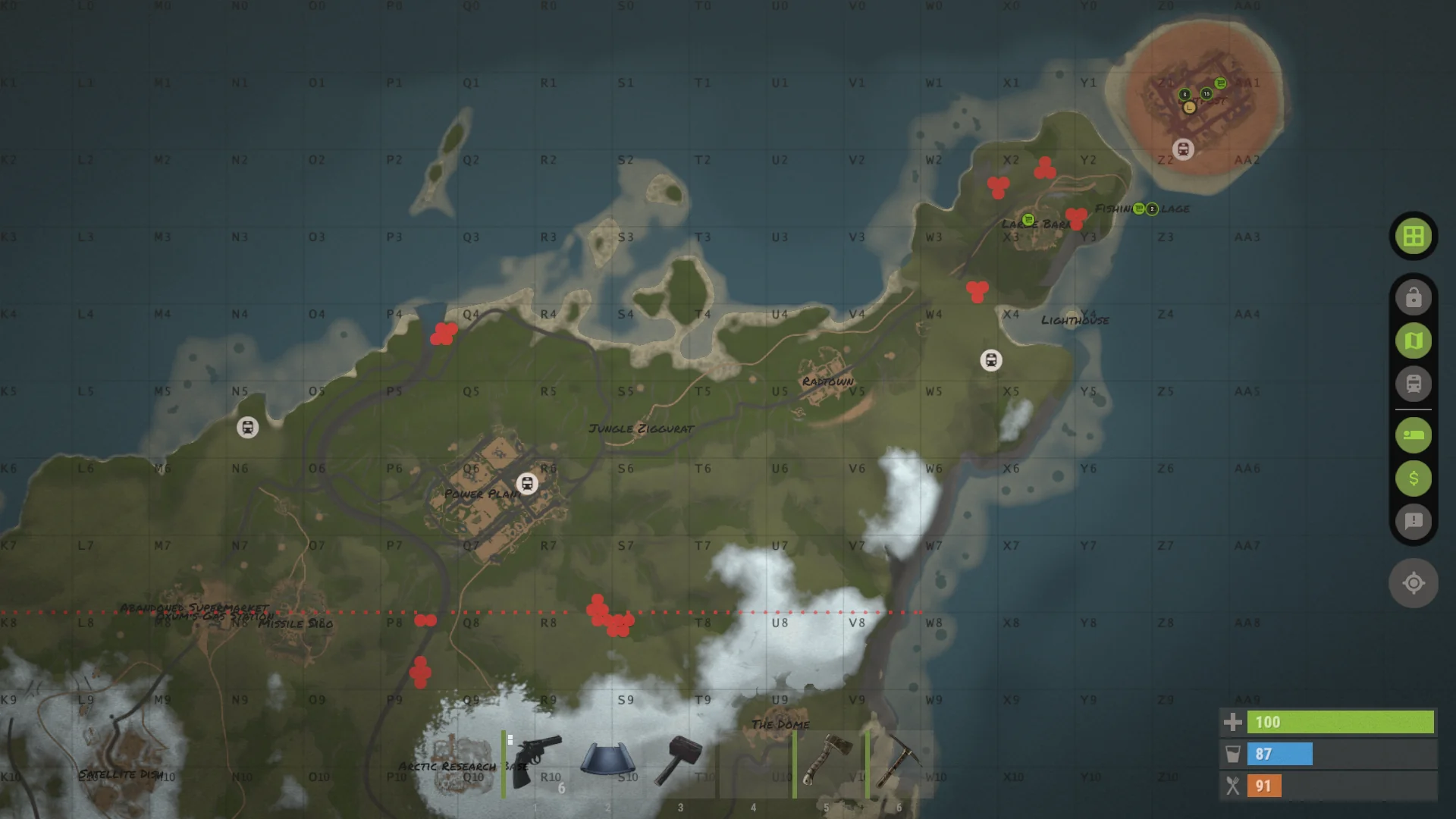
- Territory outlines show Company-controlled buildable area from TCs.
- Blue circles are Blue bases and Blue Company territory.
- Red circles are Red bases and Red Company territory.
- Same-Company territory that touches can merge into one outline.
- CSO radii are visible so players can understand Company outpost space.
- The dotted frontline also controls home-territory visibility.
- Base outlines from the dotted line back toward each Company outpost are hidden from the opposite Company's map view early in the Campaign.
- That hidden home-territory area steps down grid by grid over time.
- On the last day of the Campaign, all base outlines on the map are visible to players in both Companies.
- Green hotspot circles can appear when population is low.
- Hotspots push fights toward selected map areas and increase dogtag value in those zones.
- Kills inside a hotspot drop 3 dogtags instead of 1, for both players and scientists.
- Random airdrops may be routed toward hotspots while the low-pop system is active.
On the current Launch Island setup, hotspots are map-specific. Launch Site and Abandoned Military Base areas are the main default examples, but those details can change with map profiles later.
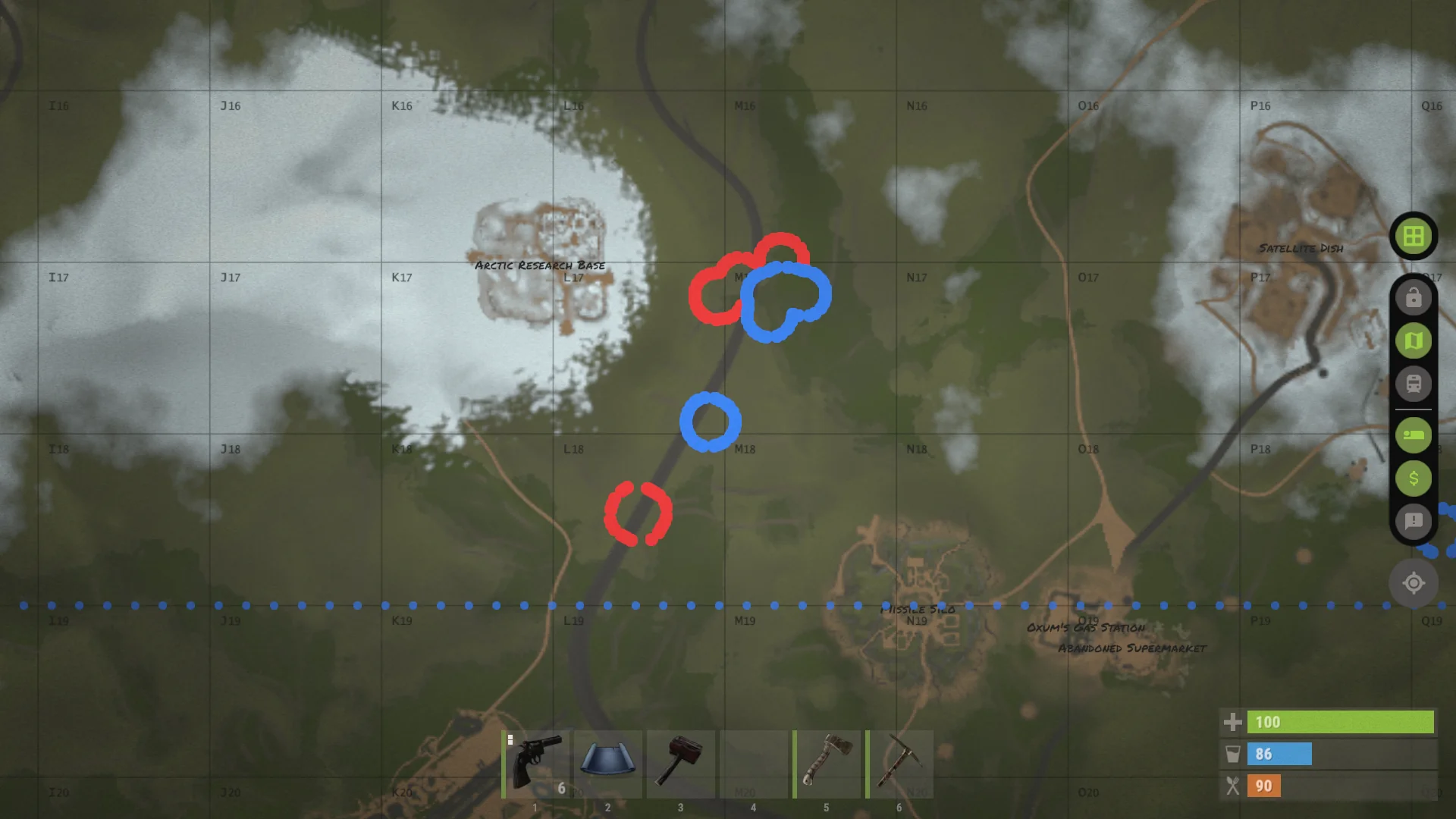
/map detailed view of base outlines and Company territory on the map.Camera Codes
Some maps can have duplicated monuments, so normal Rust camera names would collide. The server fixes that by adding numeric prefixes to duplicated monument cameras and computer-station bookmarks.
- On Launch Island, duplicated monuments like Dome can have two different indexed camera sets.
- Duplicated monument cameras receive a number prefix such as
1or2. - Current numbering is south-to-north, so
1is the southern copy and2is the northern copy. - So if the map has two Domes, one camera code can be
1DOMETOPfor the southern Dome camera, and the other can be2DOMETOPfor the northern one. - If a familiar camera code fails, check whether it needs the leading monument number.
- All other normal camera codes work like regular Rust.
Player-placed cameras are still normal Rust cameras. This section is mainly about map and outpost station codes that the server manages automatically.
1 or 2 in front of the code.
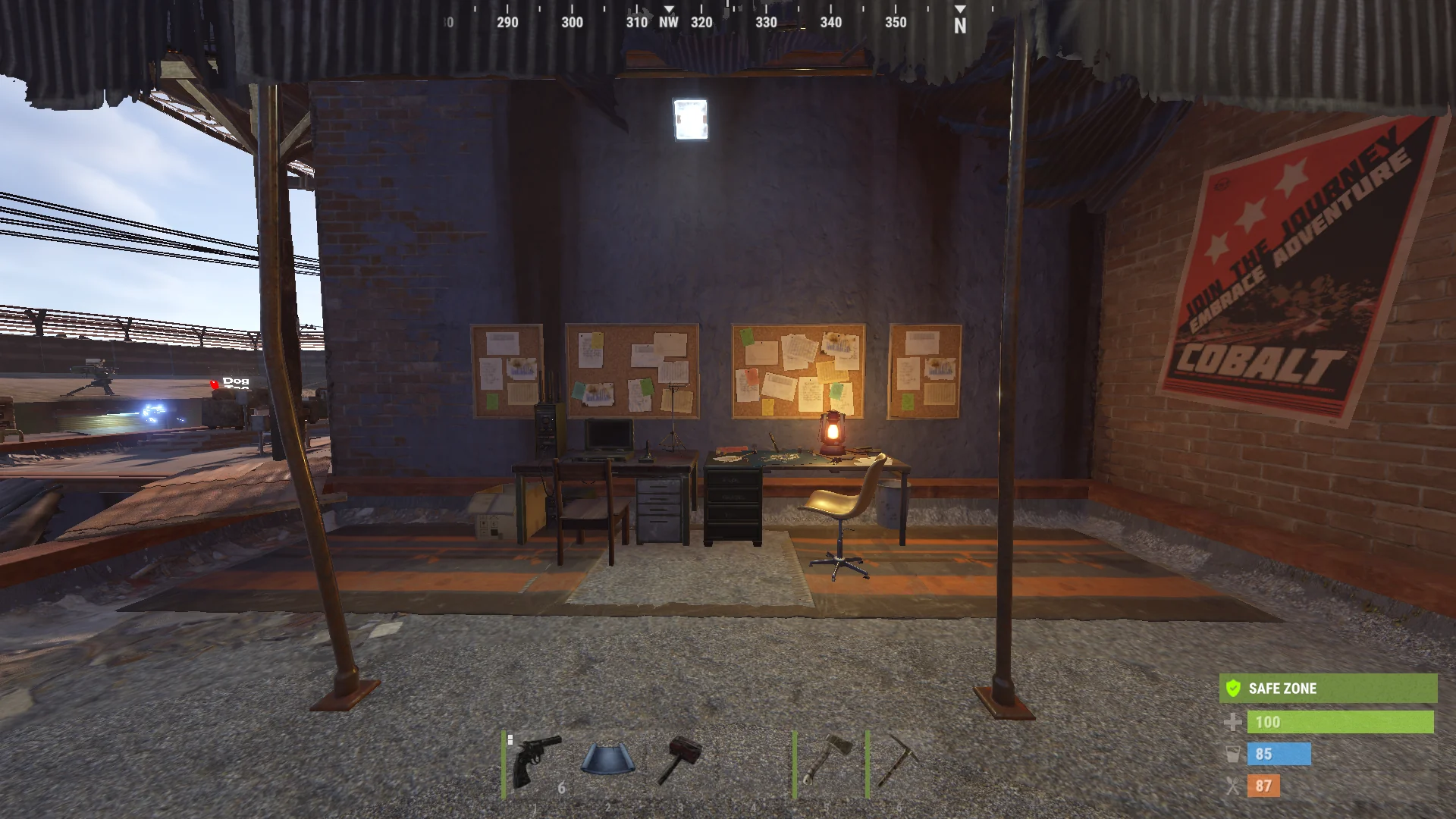
1 prefixes like 1COMPOUNDSTREET, and Red Outpost uses 2 prefixes like 2COMPOUNDSTREET.Support Project
Rust Company is a solo project, so support directly affects how many servers can stay online, how many regions can exist in the future, and how much new content can be built over time.
- The main direct support path is Patreon.
- Patreon support helps keep servers online, helps future regions happen, and gives the project room for more updates.
- Patreon members get in-game recognition, including a supporter star in chat, on the in-game badge, and in scoreboard-style UI.
/patreonor/patreonsopens the in-game member panel and supporter list.- Link your Steam account to Patreon from the Linking page if you want your benefits in game.
- Another free way to support the project is by adding the Workshop item to your favorites. Upvoting it also helps a lot, especially if the project grows into more Workshop entries in the future.
/earlyadopteris separate from Patreon and can be claimed by the first 100 players only.- Early Adopters keep their own recognition and benefits as thanks for joining the project early. Joining Discord, spreading the word, playing the gamemode, reporting issues, and sharing feedback, suggestions, and ideas all support the project too.